

Two photos. One rap duo.

Hotel Lobby AI-inspired rap duo

Put you and a friend in the same orange studio. Add one photo of each person to create an original rap duet inspired by the Hotel Lobby AI format.

Original AI rap vocals and a beat. The original HOTEL LOBBY song and choreography are not included.

Make a photo rap video

Photo to rap · MP4

01 · Add your two photos

One adult per photo. Choose clear faces with eyes and mouths visible, and get both people's permission.Selected photos are sent to an AI service when you generate. Read the privacy policy

Create your rap video with vocals and music. Watch and download the finished performance in My videos.

02 · Your rap duetRap duet · 12 seconds · 720p

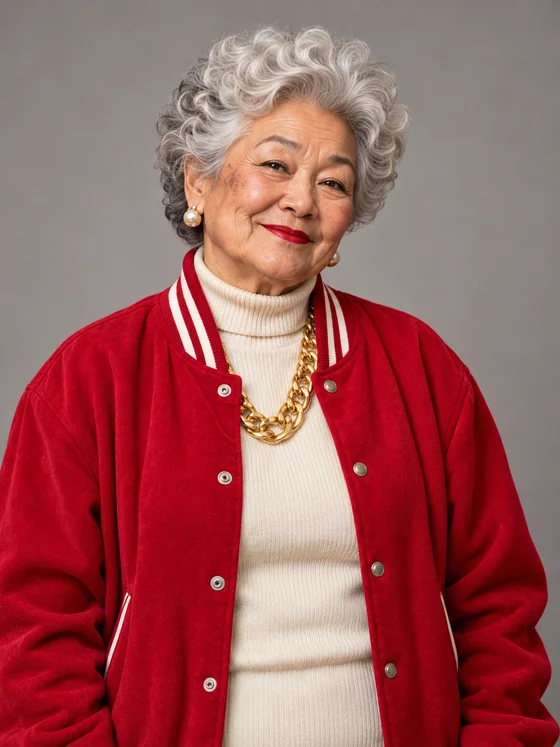
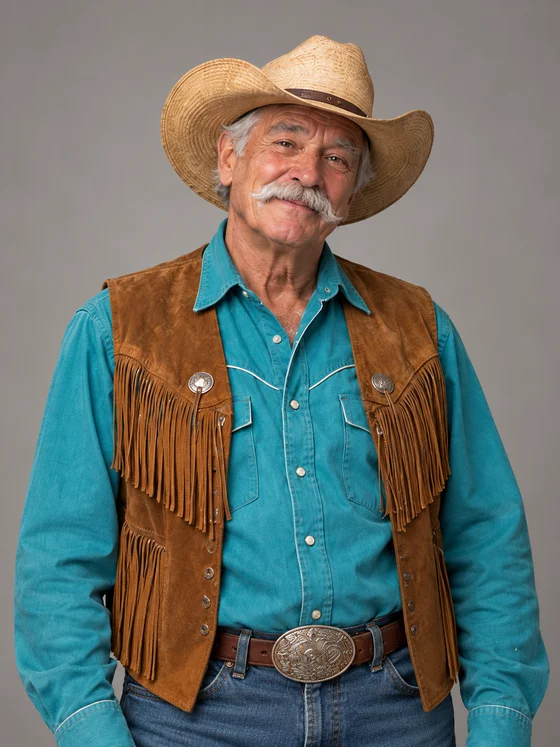
Two AI-created portraits became this rap duet. A grandma in a red jacket and a cowboy trade lines, move to the beat and finish together.
Made with RapBooth

Photos in. Mic on.

Rap duet · 12 seconds · 720p

Grandma meets the cowboy

Two AI-created portraits became this rap duet. A grandma in a red jacket and a cowboy trade lines, move to the beat and finish together.

Input portrait of the left performerInput portrait of the right performer

The two AI-created input portraits

Unmute to hear the beat and vocals.

Make your own duo

The two-person rap format

What is Hotel Lobby AI?

Hotel Lobby AI turns the two-person rap-video idea into a photo tool: two faces, one frame and an orange studio. Use a photo of yourself and a friend to make a duet for your group chat or a short social post.

This tool creates a shared image from your two portraits, then animates it into an original rap performance. The preset sets the lyrics and performance. You choose the two people; the tool creates the scene and music.

How to make a Hotel Lobby AI video

  1. Add two separate portraits

    Choose one clear photo for each performer. Upload JPG, PNG or WebP files up to 5 MB each. Your two photos go in the left and right slots.

  2. Create your rap duo

    Sign in to save your photos and start a video. Live generation uses credits and creates a shared orange-studio image before making the rap performance. Keep this page open to follow the job.

  3. Watch, download and send

    When your video is ready, play it with sound and check both faces. Download the MP4, then send it to your friend or upload it to TikTok, Reels or Shorts.

Start with faces you can see clearly

The two portraits are the starting point for the shared studio image. Choose photos where each person is easy to recognize, then review the finished video before posting it.

  • Use one person per photo, with their full face visible. Avoid sunglasses, masks and hands across the face.
  • Choose a sharp, well-lit portrait. A heavily filtered or blurred face gives the model less detail to work with.
  • Use separate photos for the two slots. You do not need a photo of both people together or a performance video.
  • Use photos you have permission to use, and ask the other person before sharing a video of them.

Hotel Lobby AI questions

See video prices

Who is your rap partner?

Choose your two photos and start with the orange-studio duet above.

Make your rap duo