

RapBooth

AI Rap Video Generator

You and a friend, taking the mic. Turn two photos into a rap duet with vocals and a beat, ready for the group chat.

Your photos · Rap vocals and music · Ready to share

Make a photo rap video

Photo to rap · MP4

01 · Add your two photos

One adult per photo. Choose clear faces with eyes and mouths visible, and get both people's permission.Selected photos are sent to an AI service when you generate. Read the privacy policy

Create your rap video with vocals and music. Watch and download the finished performance in My videos.

02 · Your rap duetRap duet · 12 seconds · 720p

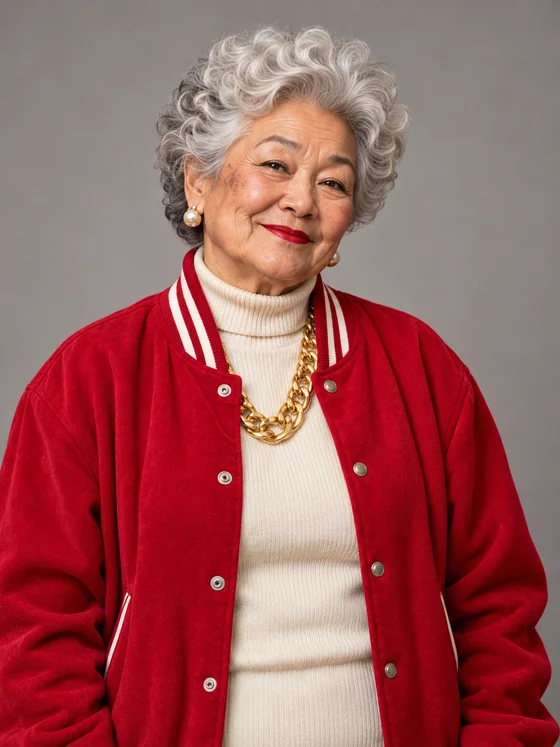
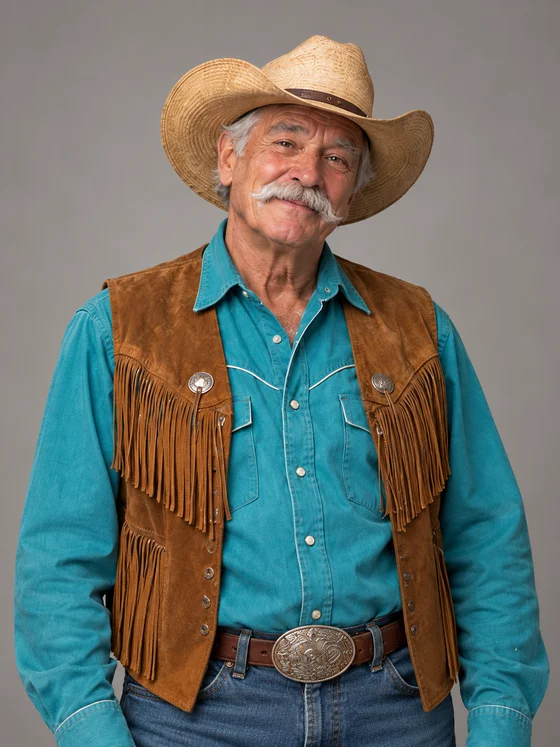
Two AI-created portraits became this rap duet. A grandma in a red jacket and a cowboy trade lines, move to the beat and finish together.
Made with RapBooth

Photos in. Mic on.

Rap duet · 12 seconds · 720p

Grandma meets the cowboy

Two AI-created portraits became this rap duet. A grandma in a red jacket and a cowboy trade lines, move to the beat and finish together.

Input portrait of the left performerInput portrait of the right performer

The two AI-created input portraits

Unmute to hear the beat and vocals.

Make your own duo

Two portraits, one shared performance

Put yourself and a friend in the same rap video, even when your photos were taken in different places. The example above shows the two portraits and the finished duet.

Cast your duo
Choose one portrait for each person. The left and right slots set their places in the shared studio, so check both photos before creating.
Get a video with its own sound
The duet is a short vertical MP4 with original AI rap vocals and a beat. Choose 480p or 720p in the tool, then play and download the finished video from your result.
Give the group chat a new double act
Cast two friends, a couple or your fictional characters. Pick the faces that make the surprise personal; the preset supplies the rap performance.
Watch before you share
Play the result with sound and check both faces and the performance. Download the MP4 when you are ready, then upload it to your chosen social app.

Give both faces a clear starting point

One clear face per photo
Use a well-lit portrait with the face visible. A front-facing or gently turned head is easier to assess than a distant face hidden by hair, sunglasses or a hand.
Start with separate portraits
Upload a JPG, PNG or WebP for each person. You do not need a group photo, a recorded performance or an audio file. Use pictures you have permission to upload.

Before you make your duet

Who is sharing your mic?

Choose your two portraits, check their positions and create your duet.

Choose my photos